Find it nearby.
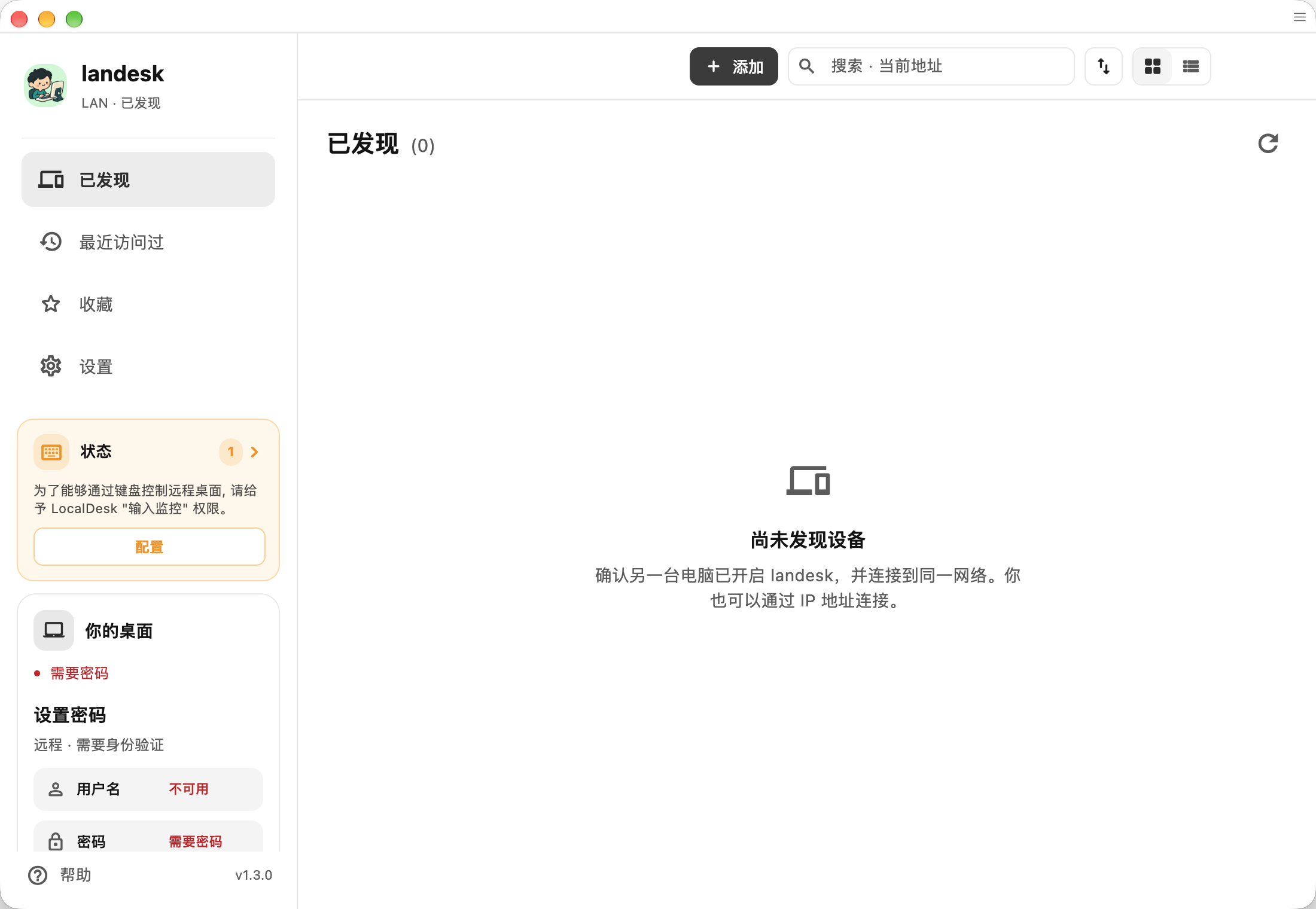
Discover devices on your LAN over mDNS. On a routed network or VPN, enter a private IP address and port.
 LanDesk.
AGPL-3.0 OPEN SOURCE. LOCAL FIRST.
An open-source remote desktop for the network you already trust. Reach your computers over a LAN or private VPN, without running a coordination server.
Based on RustDesk and SubnetDesk. Independently maintained; not an official RustDesk release.
DESIGNED FOR YOUR NETWORK
Discover devices on your LAN over mDNS. On a routed network or VPN, enter a private IP address and port.
Check a device’s fingerprint before trusting it. Protect incoming connections with a username, password, and CIDR allowlist.
Remote control, clipboard, audio, and file transfer, built on the open-source foundations of RustDesk and SubnetDesk.
A FEW STEPS. A DIRECT CONNECTION.
Use LanDesk on the controller and controlled device. Stock RustDesk peers use a different authentication protocol.
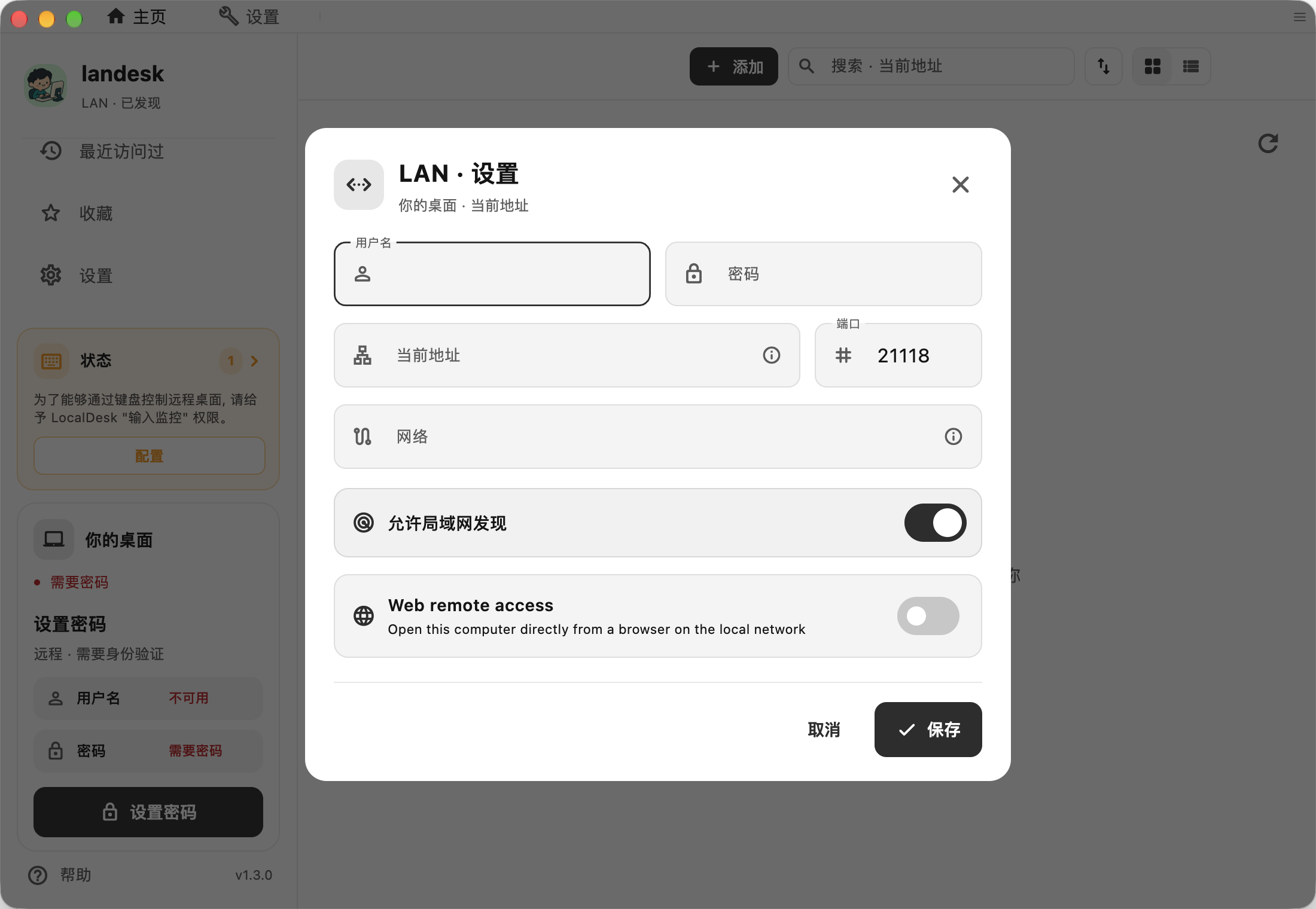
Set an access username and password in LAN settings. Allow the controller’s network and the configured TCP port; the default is 21118.
Choose a discovered device or enter its private IP. Check the fingerprint on first connection.
CHOOSE YOUR BUILD
Desktop builds for Windows, macOS, and Linux. Android APKs for mobile access. iPhone and iPad work as controllers through invited internal testing.
1.3.0 · build 99 · development preview
Preview & checksumsSigned with an Apple Development certificate; not notarized. Gatekeeper may block it on another Mac. Existing LocalDesk installations need the documented name migration.
Nightly packages · availability varies by build
Browse NightlyCheck the commit, package architecture, and asset list before downloading. A source-supported platform is not a promise of a tested installer.
Controller only · internal TestFlight
Requires a testing-group invitation. There is no public TestFlight link.
GuideGOOD TO KNOW
Only if your devices are already reachable over a routed private network or VPN. Public IPs and hostnames are rejected. VPN transport is managed by the VPN provider; LanDesk cannot promise that the VPN itself never uses a relay.
No cloud account or rendezvous server is required. Set local access credentials on the computer you want to control.
No. LanDesk is independently maintained, derived from SubnetDesk and RustDesk, and licensed under AGPL-3.0. Both peers must support the LAN protocol.
mDNS discovery normally stays on the local network. Across VPNs or VLANs, try a private IP directly. Check routing, the host firewall, the port, and the CIDR allowlist.
LAN DESK. LESS DISTANCE.
Start with the build notes, then connect your own devices.